Getting Started with Refine
Learn how to build your first internal tool with Refine. Connect your data, describe what you want, and get a working app in minutes.
Build your first internal tool in under 10 minutes.
Refine is an AI-powered builder for admin panels, dashboards, and CRUD apps. You describe what you want; the AI generates a complete React application connected to your data.
How It Works
Clarify Answer a few quick questions in a modal. The AI needs to
understand your requirements.
No drag-and-drop. No manual wiring. Just describe, clarify, and build.
Choose Your Path
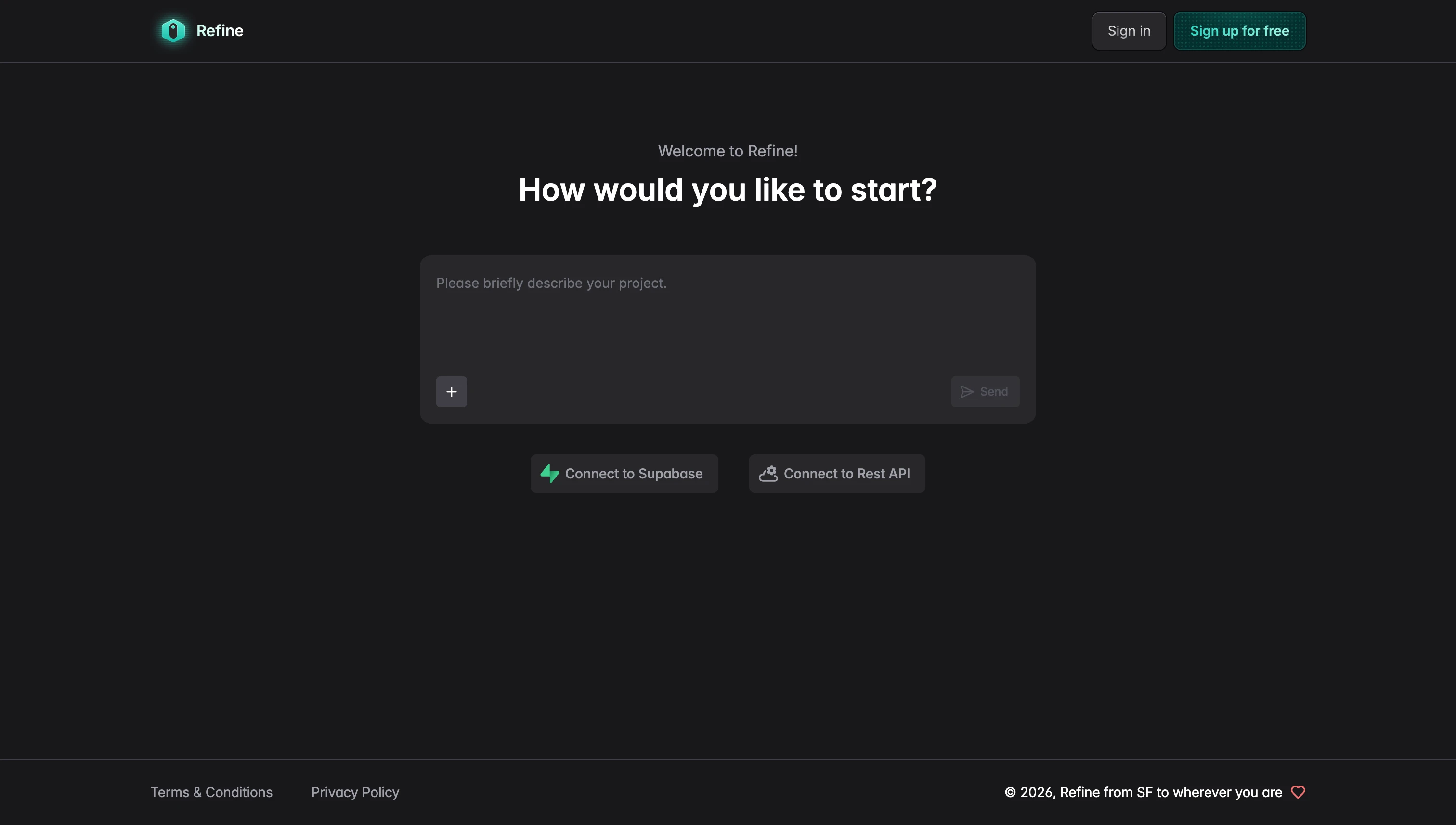
Refine offers three ways to start:
| Path | Best for | Time |
|---|---|---|
| Start with Chat | Explore and experiment | ~2 min |
| Start with Supabase | You have a Supabase database | ~5 min |
| Start with REST API | You have an existing backend | ~10 min |
Option 1: Start with Chat
The fastest way to try Refine. No setup required.
What happens
- Go to refine.dev/start
- Type a prompt in the chat box:
Create a simple task manager with a list and add form - Refine generates a working app with mock data
- Connect real data later when ready
Tip
This is the best way to learn how Refine works. Experiment freely, then connect a database when you're ready to build something real.
Option 2: Start with Supabase
Best if you already have a Supabase project with tables.
What happens
- Connect your Supabase account via OAuth
- Refine analyzes your database schema
- You describe what you want to build
- AI generates a working app connected to your tables
Get started
Tip
The AI understands your tables, columns, and relationships automatically.
Option 3: Start with REST API
Best if you have an existing backend (Express, Django, Rails, etc.).
What happens
- Provide your API URL and schema
- Refine analyzes your endpoints
- You customize how resources appear
- AI generates a working app connected to your API
Get started
This flow requires a schema file (OpenAPI/Swagger) or using our CLI tool to generate one. It's designed for developers with existing backends.
What You'll See
After connecting your data or starting with chat, you'll enter the Refine Console:
| Area | Purpose |
|---|---|
| Left: Chat | Describe changes, ask questions, iterate |
| Right: Preview | Live preview of your application |
| Right: Editor | View and edit the generated code |
| Right: Plan | See the AI's development plan |
| Right: Settings | Manage secrets and configuration |
The chat is your main interface. Describe what you want; see it appear in the preview.
Your First Prompt
Once in the Console, describe what you want to build:
Create a dashboard for tracking expensesWhat happens next
-
Clarifying questions — The AI asks a few quick questions to understand your needs:
- What type of dashboard? (personal, business, etc.)
- What's the most important feature for V1?
- How do you want to handle data?
-
Review the plan — The AI shows a step-by-step plan before building anything.
-
Execute — Press Execute and watch your app come to life in the Preview.
Example flow
You type:
Create a fintech dashboardThe AI asks:
- What type? → Personal finance / Business / Investment tracker
- Priority feature? → Overview with charts / Transaction list / Budget tracking
- Data source? → Mock data / Supabase / Existing API
You pick your options, review the plan, and hit Execute.
Iterating
After the first version, keep the conversation going:
Add a search box to filter transactionsChange the chart to show weekly instead of daily dataThe AI will clarify if needed, or execute directly for simple changes.
Publishing Your App
When you're ready to share your app:
- Click Publish in the Console
- Get a shareable link to your live application
Exporting Code (Pro)
Pro users can also export the full source code:
- Download — Get a zip file of your complete React project
- The code is standard React/TypeScript built on the Refine open-source framework
- Host anywhere, customize anything
Remember to set up environment variables for your API keys and secrets when self-hosting.
Understanding Tokens
Refine uses tokens to power AI generation:
| Plan | Tokens | Cost |
|---|---|---|
| Free | 300 | $0 |
| Pro | 1,500 | $20/mo |
| Pro 3K+ | 3,000–40,000 | $40–533/mo |
All plans include publish. Code export is Pro only.
Each AI interaction consumes tokens. Complex requests use more than simple ones.
Tip
Be specific in your prompts. Clear descriptions generate better code with fewer iterations, saving tokens.
→ Learn more in Tokens & Billing
Next Steps
Now that you understand the basics:
-
Connect your data
-
Learn the workspace
-
Get better results
-
Ship your app
FAQ
Do I need to know React?
No. The AI generates the code. But knowing React helps if you want to customize beyond what the AI generates.
What databases does Refine support?
Supabase (PostgreSQL) directly, or any REST API backend. If you can expose your data via API, Refine can connect to it.
Can I use my own design system?
Yes, with Pro. Export the code and modify styles, swap component libraries, or integrate your design system.
Is the generated code production-ready?
Yes. It's built on the Refine framework which is used in production by thousands of applications. The code follows React best practices.
What if I run out of tokens?
You can upgrade to Pro or wait for your monthly reset. Upgrade when you need more tokens or want to export your code.