


Introduction
Building data-intensive React applications like admin dashboards, internal tools, and B2B platforms can be overwhelming. Between setting up routing, state management, authentication, data fetching, and UI components, developers often spend weeks on boilerplate before writing actual business logic.
This is where React admin dashboards, templates, and frameworks come in. They provide pre-built solutions that dramatically reduce development time while maintaining flexibility and customization. In this comprehensive guide, we'll explore the best React admin templates, themes, and frameworks available in 2026, help you choose the right approach for your project, and walk through building a complete admin dashboard step by step.
Whether you're building an e-commerce admin panel, a SaaS dashboard, or an internal business tool, this guide will give you everything you need to make informed decisions and start building faster.
What is a React Admin Dashboard?
A React admin dashboard is a web application interface that allows administrators and authorized users to manage, monitor, and control various aspects of a system, application, or business. Think of it as the command center where you can perform CRUD (Create, Read, Update, Delete) operations on your data, view analytics, manage users, configure settings, and monitor system health.
Common examples include:
- E-commerce admin panels for managing products, orders, and customers
- SaaS application dashboards for monitoring usage and managing subscriptions
- Internal tools for business operations and data management
- Analytics dashboards for visualizing metrics and KPIs
- Content management systems for creating and publishing content
Understanding Your Options: Templates vs Frameworks
Before diving into specific solutions, it's crucial to understand the different approaches to building React admin dashboards.
React Admin Templates
What they are: Pre-built, ready-to-use admin interfaces with complete UI components, layouts, and styling. They're essentially "plug and play" solutions where most of the visual work is done for you.
When to use them: Templates shine when you need to launch quickly with minimal customization, especially if your project has standard admin requirements and you prefer a complete design system out of the box. They're particularly valuable for teams with limited development resources who want to get something production-ready fast.
The main advantages are obvious: fast deployment (often within hours or days), professional designs without hiring designers, and a lower learning curve. However, templates come with trade-offs. They offer limited customization without significant refactoring, may include unnecessary features that bloat your app, and can be harder to maintain and upgrade over time since they're often tied to specific styling approaches.
React Admin Frameworks
What they are: Structured foundations that provide the architecture, hooks, and components for building admin applications from scratch. They handle the heavy lifting of data management, routing, and state while letting you control the UI.
When to use them: Frameworks are the better choice when you need extensive customization or you're building a long-term product that will evolve. They're ideal if you want full control over the user experience and your team has solid React development expertise.
Frameworks offer complete flexibility in design and functionality, making them easier to maintain and scale over time. They avoid bloating your application with unnecessary code and provide strong architectural patterns backed by active communities. The trade-off is a steeper learning curve initially and more development time upfront, which makes them better suited for teams with React knowledge.
Need even faster development? Refine is an AI-powered tool that generates complete internal tools by analyzing your database schema, letting you build production-ready admin panels through natural language chat in minutes.
Key Selection Criteria for 2026
When evaluating React admin solutions in 2026, consider these critical factors:
1. Development Speed and Developer Experience
How quickly can you go from idea to production? Modern solutions should offer CLI tools, code generation, and excellent documentation.
2. UI Framework Compatibility
The best solutions work with multiple UI libraries like Ant Design, Material-UI, Mantine, and Chakra UI, or allow complete headless customization.
3. Backend Integration
Look for solutions with built-in support for REST APIs, GraphQL, and popular backend services like Strapi, Supabase, and Firebase.
4. Authentication and Authorization
Essential features include support for various auth providers (Auth0, Keycloak, Kinde), role-based access control, and secure session management.
5. Performance
Server-side rendering, code splitting, lazy loading, and optimized bundle sizes matter for production applications.
6. Scalability and Maintainability
Can the solution grow with your application? Consider the architecture, upgrade path, and long-term support.
7. Community and Ecosystem
Active communities mean better documentation, more tutorials, faster bug fixes, and a wealth of community-contributed solutions.
Best React Admin Templates for 2026
1. Refine CRM Admin Template
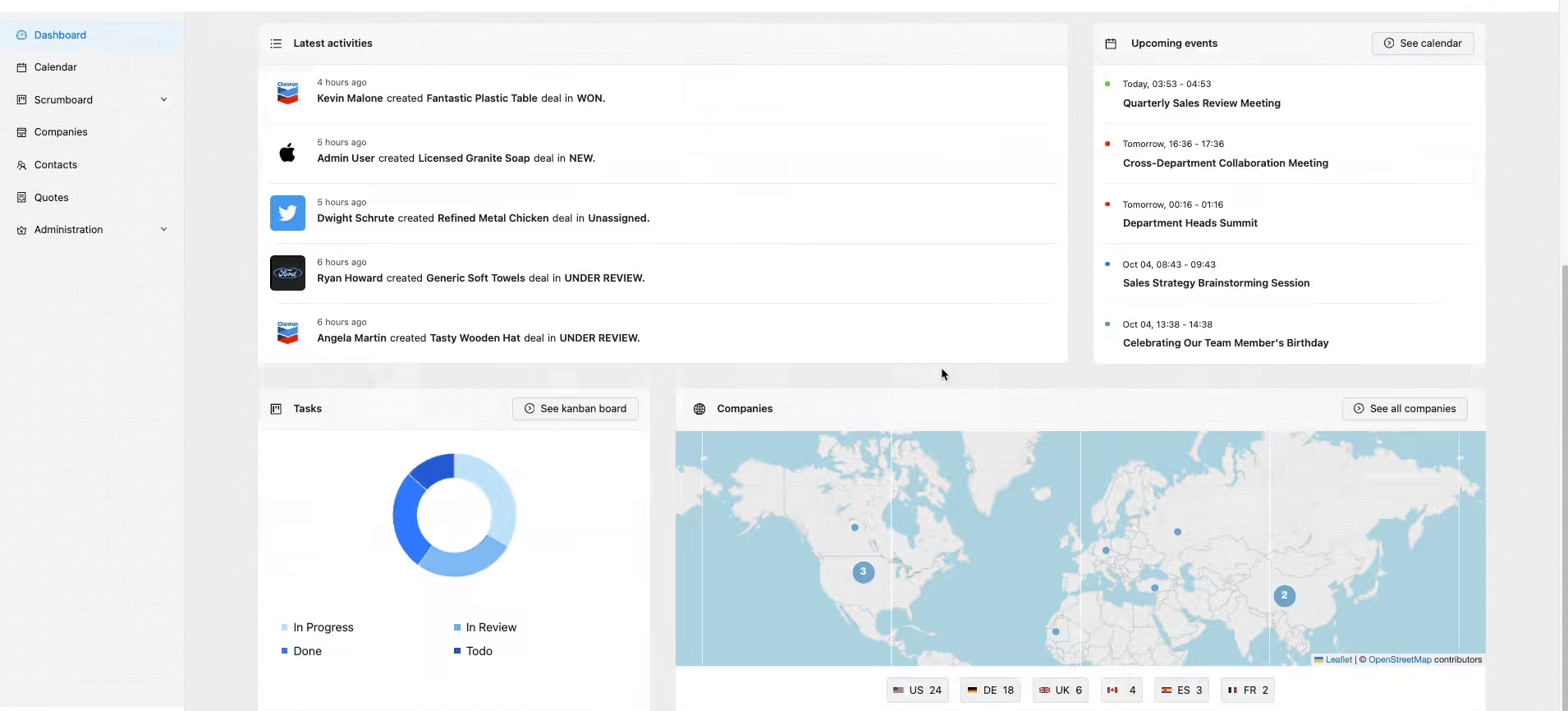
Refine CRM Admin stands out as an enterprise-grade React admin template built with the Refine framework.
What makes it special:
This template showcases what's possible with modern React admin development. It's designed specifically for CRM and business management applications, featuring a sleek Ant Design interface with advanced functionality.
Key Features: The template includes complete authentication pages with login, register, and password recovery flows. The dashboard features interactive charts and real-time analytics, while the calendar provides full scheduling and event management. You get Kanban-style task management with drag-and-drop, complete CRUD operations for companies and contacts, professional quote generation, and a full administration panel for managing user roles and settings.
Best for: B2B SaaS applications, CRM systems, project management tools
Pricing: Free and open source
Live Demo: https://example.crm.refine.dev/
Template: https://refine.dev/templates/
2. Elstar
Elstar is a modern React admin template built with Tailwind CSS, offering extensive customization options and a comprehensive component library.
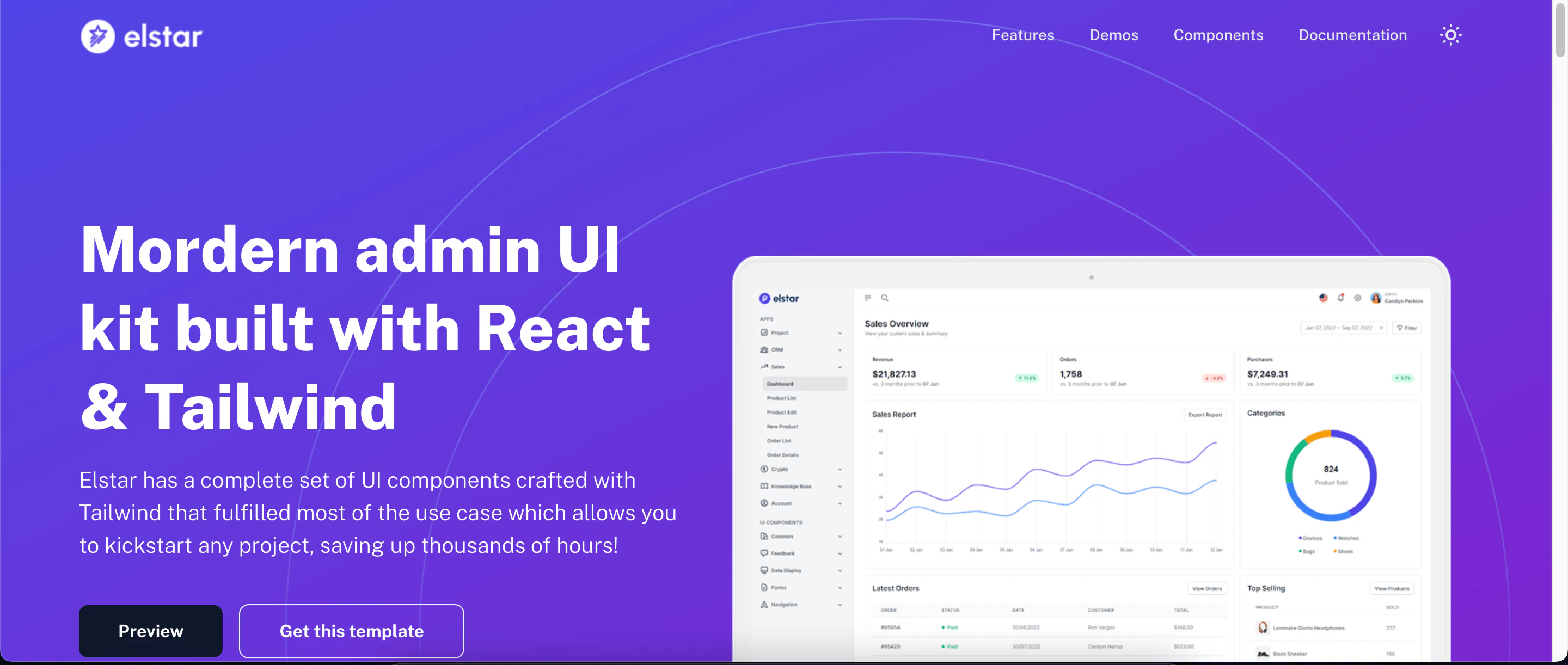 Elstar admin template
Key Features: Built on Tailwind CSS, Elstar provides extensive pre-built components including charts, graphs, data tables, and forms. It's fully responsive across desktop and mobile devices, with drag-and-drop functionality, multi-language support, and real-time chat integration. Social media authentication and multiple theme options give you flexibility in customization.
Best for: Businesses needing high customization and modern design aesthetics
Pricing: Premium (one-time purchase on ThemeForest)
3. Isomorphic
Isomorphic is a feature-rich React admin template built with Redux for robust state management, designed for handling large-scale applications.
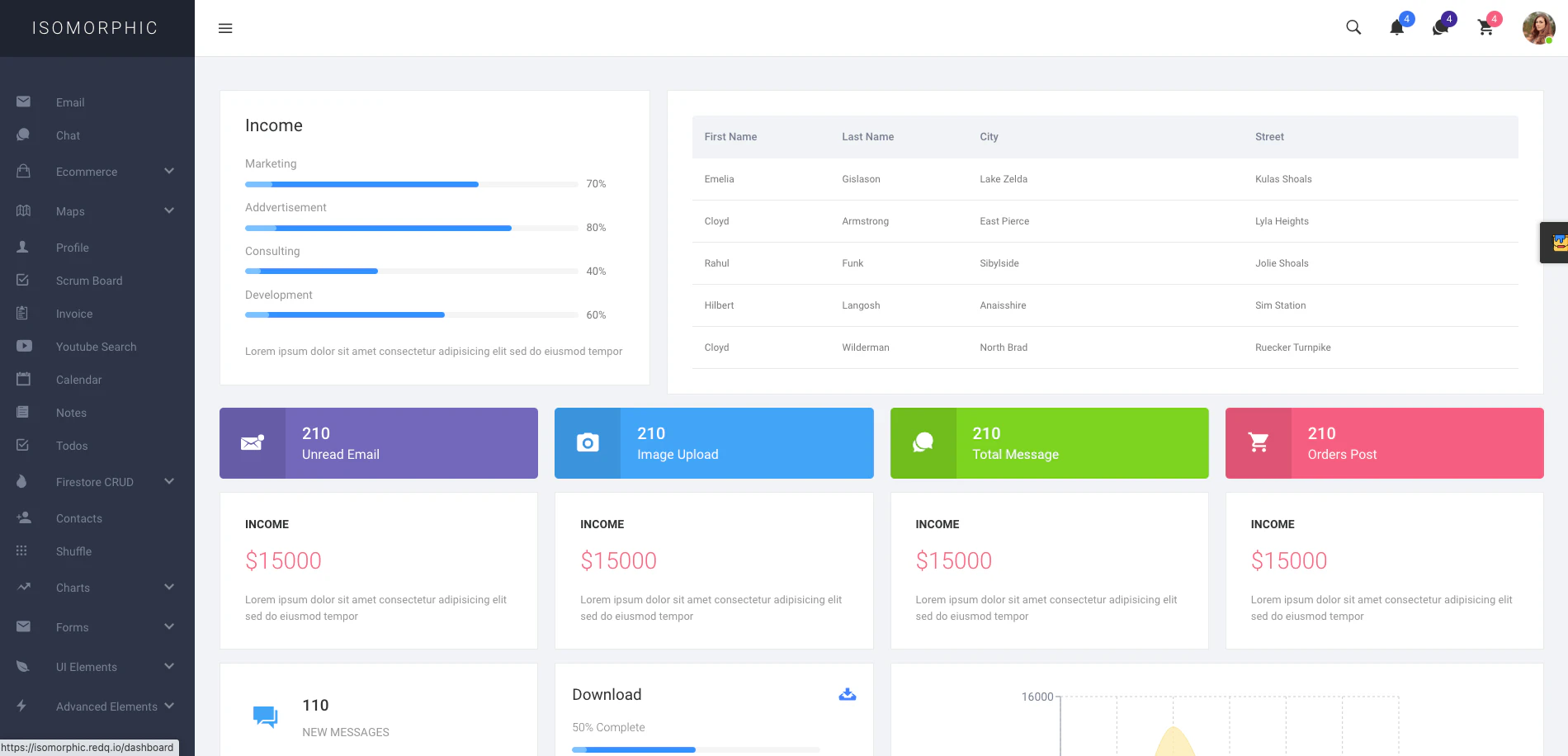 Isomorphic admin template
Key Features: Isomorphic leverages Redux for robust state management and is built to handle large datasets with ease. It comes with integrated chat, email, and calendar functionality, plus advanced analytics and reporting tools. The template offers powerful search and filtering, multiple layout options, and extensive customization capabilities for enterprise needs.
Best for: Enterprise applications with complex workflows and high data volumes
Pricing: Premium (one-time purchase on ThemeForest)
4. Fuse
Fuse combines React, Redux, and Material Design to create a flexible and visually appealing admin template.
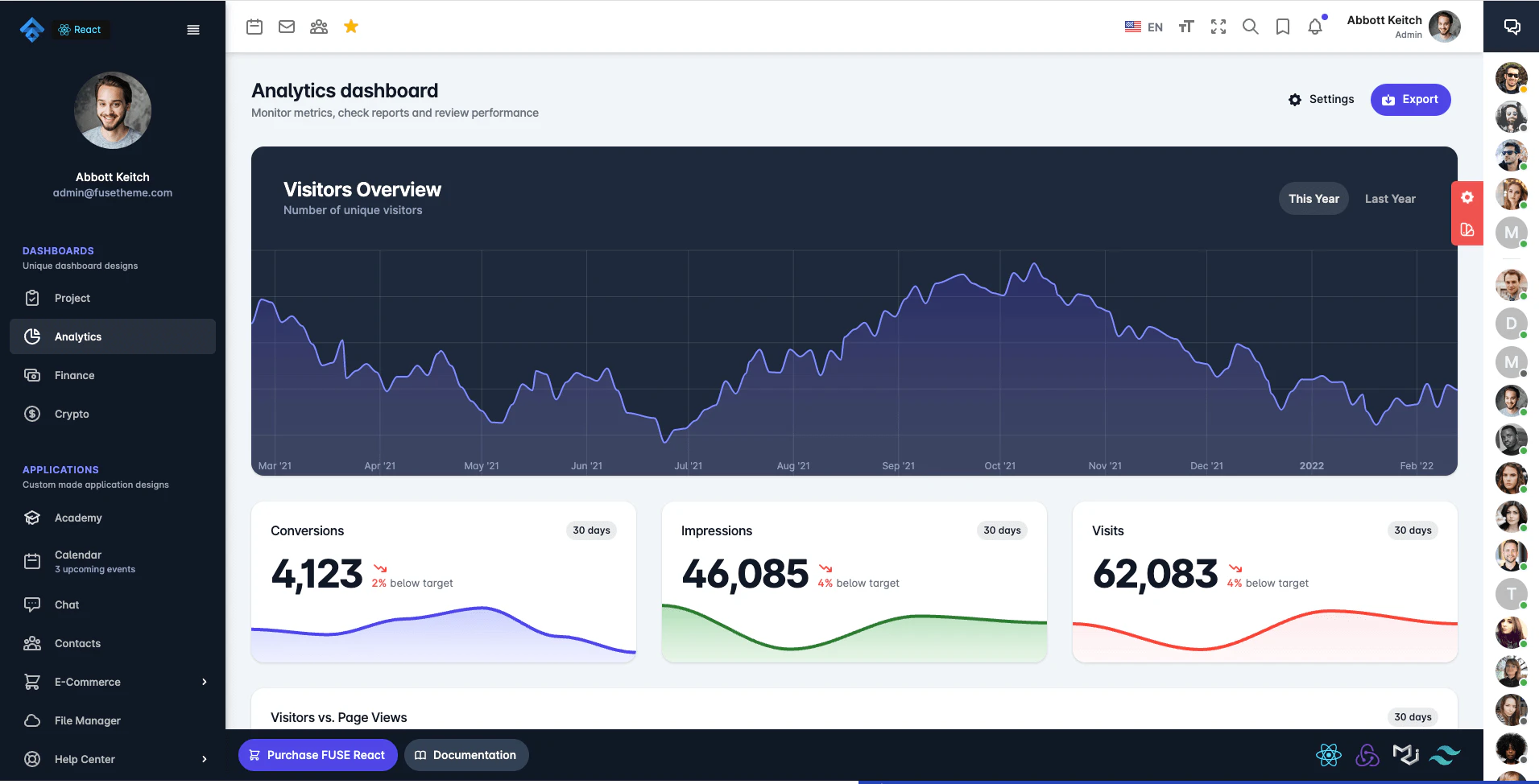 Fuse admin template
Key Features: Fuse combines Material Design components with advanced data visualization and charting capabilities. The comprehensive component library includes a drag-and-drop interface builder, highly customizable theming system, and pre-built application layouts that speed up development.
Best for: Applications requiring sophisticated data visualization and Material Design aesthetics
Pricing: Premium (one-time purchase on ThemeForest)
5. Wieldy
Wieldy is built with React, Redux, and Ant Design, focusing on complex workflow management.
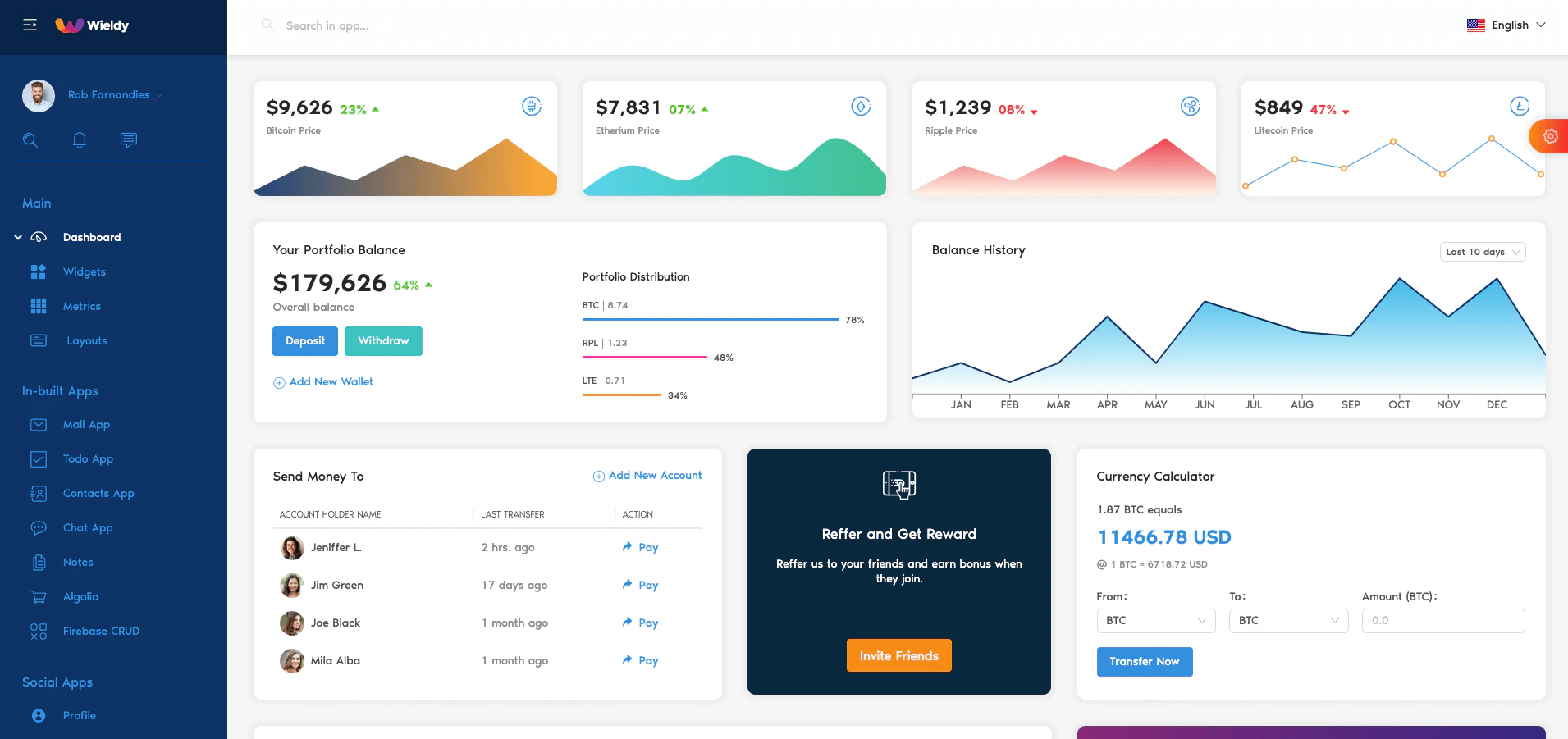 Wieldy admin template
Key Features: Wieldy features a multi-level navigation system with a drag-and-drop component builder. Built on Ant Design, it includes real-time chat integration, multiple theme variations, and flexible customization options suited for complex operational workflows.
Best for: Businesses with complex operational workflows requiring real-time collaboration
Pricing: Premium (one-time purchase on ThemeForest)
Best React Admin Frameworks for 2026
Refine Core - The Modern React Framework for CRUD Applications
Refine Core is a free, open-source, MIT-licensed React framework specifically designed for building data-intensive applications like admin panels, dashboards, and internal tools.
Why Refine Core stands out in 2026:
Refine Core is truly "headless" by design, which means it doesn't force any UI decisions on you. You can use it with any CSS framework or component library, or build your own custom design system. This flexibility, combined with powerful abstractions for common tasks, makes it ideal for both rapid prototyping and long-term production applications.
Core Features:
1. UI Framework Flexibility
- Built-in integrations for Ant Design, Material-UI, Mantine, and Chakra UI
- Complete headless mode for custom designs
- Mix and match components from different libraries
2. Backend Agnostic
- Works with any REST or GraphQL API
- Built-in data providers for popular services:
- Strapi
- Supabase
- Hasura
- Airtable
- NestJS CRUD
- And many more
3. Powerful Hook System
useTablefor advanced table management with sorting, filtering, and paginationuseFormfor forms with validation and submission handlinguseSelectfor searchable select inputsuseModalfor modal management- And dozens more hooks for common patterns
4. Authentication and Access Control
- Flexible authentication provider interface
- Support for any auth provider (Auth0, Keycloak, custom JWT, etc.)
- Fine-grained access control with RBAC, ABAC, or PBAC
- Route protection and conditional rendering
5. Enterprise Features
- Audit log tracking
- Internationalization (i18n) support
- Real-time subscriptions
- Import/export functionality
- Advanced filtering and search
- Optimistic updates
6. Developer Experience
- Powerful CLI for project scaffolding
- Excellent TypeScript support
- Comprehensive documentation
- Active Discord community
- Regular updates and new features
Best for: Any CRUD application, especially admin panels, internal tools, B2B SaaS, and dashboards requiring high customization
Pricing: Free and open source (MIT license)
Website: https://refine.dev/
React-Admin - The Mature Alternative
React-admin is another popular open-source framework for building admin applications, with a focus on Material Design.
Key Features:
- Material-UI based by default
- Comprehensive component library
- Strong REST/GraphQL support
- Built-in authentication
- Large ecosystem of plugins
When to choose React-admin:
- You prefer Material Design aesthetics
- You want a batteries-included solution
- You value a large plugin ecosystem
Refine Core vs React-admin:
While both are excellent frameworks, Refine Core offers more flexibility in UI choices (truly headless), has a more modern architecture, better TypeScript support, and a more intuitive API for complex scenarios. React-admin is more opinionated but can be faster to start if you're happy with Material-UI.
Top 10 Mistakes When Choosing Admin Solutions
Based on real-world experience, here are critical mistakes to avoid:
- Picking looks over functionality - A beautiful UI means nothing if it doesn't support your use case
- Choosing incompatible tech stacks - Ensure the solution works with your existing infrastructure
- Selecting overly complex templates - Complexity you don't need slows development
- Ignoring scalability - What works for 100 records might break at 100,000
- Skipping documentation review - Poor docs mean slow development and frustration
- Forgetting mobile testing - Responsive design isn't optional anymore
- Overlooking performance - Page load times affect user experience and SEO
- Using unclear licenses - Verify commercial usage rights before committing
- Trusting free templates blindly - Free doesn't mean good or maintained
- Ignoring accessibility - Make your admin panel usable for everyone
Frequently Asked Questions
What's the difference between a React admin template and a React admin framework?
A template is a pre-built, ready-to-use admin interface with complete UI and functionality. You download it and customize the existing code. A framework like Refine Core provides the architecture, hooks, and components to build your admin panel from scratch with full control over the UI and functionality. Templates are faster initially but harder to customize deeply, while frameworks have a steeper learning curve but offer unlimited flexibility.
Should I choose a paid template or a free framework?
It depends on your project timeline and customization needs. Paid templates ($40-$80) are good for quick launches with standard requirements. Free frameworks like Refine Core are better for long-term projects requiring extensive customization. Consider that the initial cost savings of a template might be offset by customization difficulties later.
Can I use Refine Core with my existing backend API?
Yes! Refine Core is backend-agnostic and works with any REST or GraphQL API. You can use built-in data providers for popular services (Strapi, Supabase, Hasura) or create a custom data provider for your API. The data provider interface is simple and well-documented.
Do I need to know TypeScript to use Refine Core?
While Refine Core works with JavaScript, TypeScript is highly recommended for better developer experience, autocompletion, and catching errors early. Refine Core has excellent TypeScript support with comprehensive type definitions. If you're new to TypeScript, Refine Core is a great project to learn it.
How do I handle authentication in a React admin dashboard?
Refine Core provides an auth provider interface that works with any authentication service. You can use popular providers like Auth0, Keycloak, or Kinde, implement JWT-based auth, or integrate with your custom authentication system. The auth provider handles login, logout, permission checking, and user identity.
Can I use multiple UI frameworks in the same Refine Core app?
Yes! Refine Core is truly headless, so you can mix components from different libraries or use different UI frameworks for different parts of your app. You could use Ant Design for admin pages and Chakra UI for user-facing pages in the same application.
What's the learning curve for Refine Core compared to building from scratch?
Initial learning takes 1-2 days to understand Refine Core's concepts (resources, data providers, auth providers). However, this investment pays off quickly because you avoid weeks of boilerplate setup. Most developers are productive within a week and significantly faster than building from scratch within two weeks.
How do I handle file uploads in Refine Core?
Refine Core doesn't impose any specific file upload solution. You can use any file upload library or service (like Cloudinary, AWS S3, or Uploadcare) and integrate it with Refine Core's form hooks. The documentation includes examples for common upload scenarios.
Is Refine Core suitable for mobile app admin panels?
Yes, Refine Core works great for responsive admin panels that work on mobile devices. All supported UI frameworks (Ant Design, Material-UI, Mantine, Chakra UI) are mobile-responsive. However, if you're building a native mobile app, you'd use React Native with different UI components.
How do I migrate from React-admin to Refine Core?
Migration involves: (1) Setting up a new Refine Core project with your preferred UI library, (2) Porting your data provider configuration, (3) Migrating pages one by one using Refine Core's equivalent hooks, (4) Updating auth logic to use Refine Core's auth provider interface. The Refine Core team provides migration guides and community support for the process.
Can I self-host a Refine Core application?
Absolutely! Refine Core applications are standard React apps that can be deployed anywhere you can host a static site or Node.js application. There's no vendor lock-in or required hosting service. Deploy to Vercel, Netlify, AWS, your own servers, or anywhere else.
What kind of support is available for Refine Core?
Refine Core offers comprehensive documentation, an active Discord community with thousands of developers, GitHub issues for bug reports, and regular updates. The team is very responsive to community feedback. For enterprise customers, commercial support packages are available.
Conclusion
Building React admin dashboards in 2026 has never been easier. Whether you choose a ready-made template for quick deployment or a flexible framework like Refine Core for long-term customization, the key is matching your choice to your project requirements, team skills, and timeline.
Quick decision guide:
- Need to launch in days with standard features? Choose a premium template like Elstar or Isomorphic
- Building a long-term product with custom requirements? Use Refine Core for maximum flexibility
- Want the best of both worlds? Start with Refine's CRM template and customize from there
- Have a tight budget? Refine Core is completely free and open source
Remember that the best solution isn't always the most feature-rich or the cheapest. It's the one that best fits your specific needs, team capabilities, and project goals. Take time to evaluate your options, build small prototypes, and choose the path that will serve you best not just today, but as your application grows.
Ready to start building? Check out Refine for a modern, flexible approach to React admin development, or explore the templates mentioned in this guide to find the perfect starting point for your next project.
Happy building!