Picture this: your support team needs a tool to look up customer records, update subscription status, and occasionally delete test accounts. Engineering estimates three weeks. Meanwhile, the team continues copy-pasting between spreadsheets and your production database console.
This scenario plays out in companies of every size. The tool they need is straightforward; it creates records, reads them back, updates fields, and deletes rows when necessary. Four operations. Yet building it from scratch takes weeks because nobody has standardized the pattern.
There is no single peer-reviewed benchmark for the exact share of business software that is CRUD. However, practitioner commentary, internal-tool platform research, and enterprise engineering discussions all point in the same direction: CRUD is the dominant pattern for line-of-business software. Understanding this pattern matters because it affects how you build, buy, and maintain nearly every internal tool your company uses.


What CRUD means
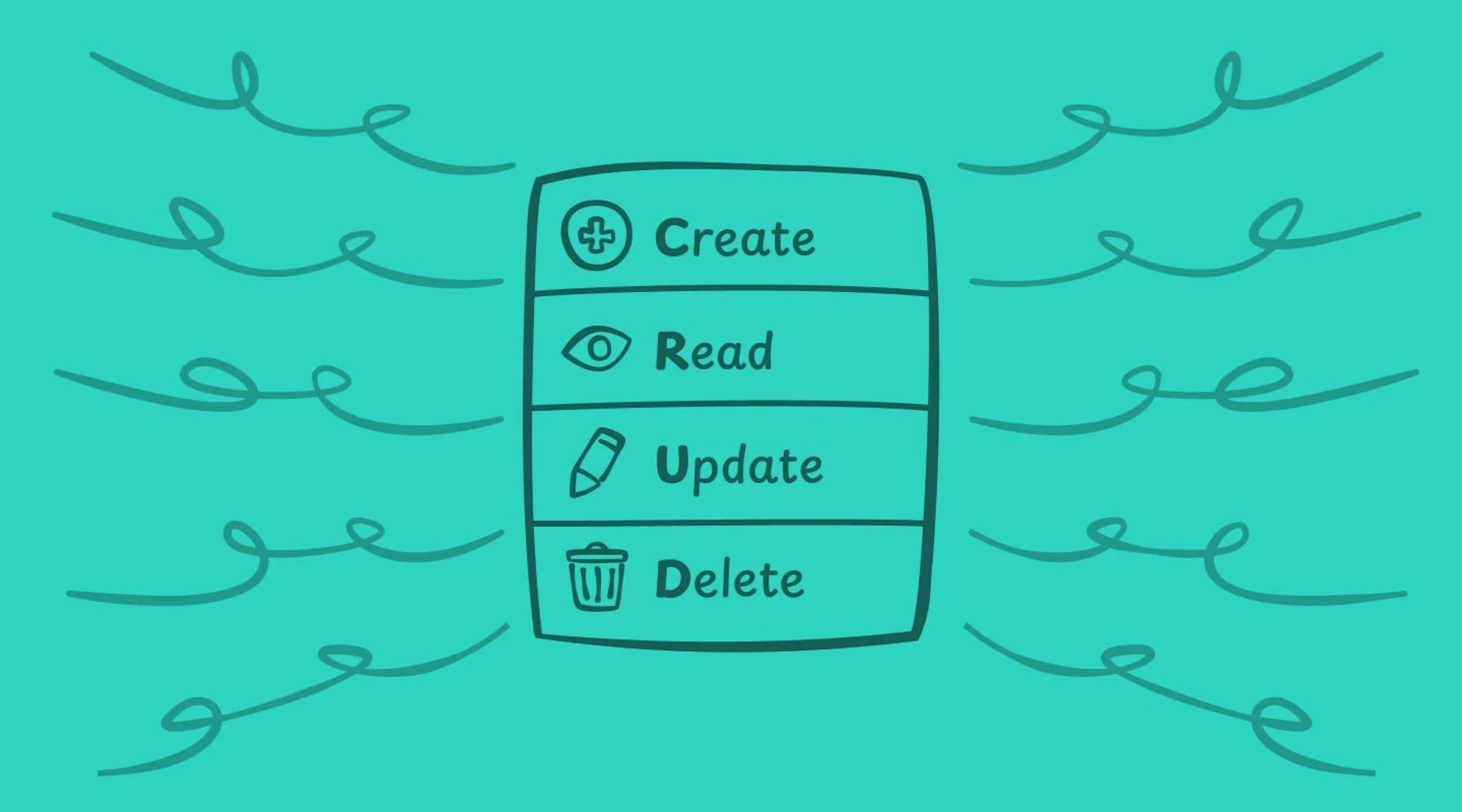
CRUD is an acronym for four database operations:
- Create adds new records to a table
- Read retrieves existing records
- Update modifies records that already exist
- Delete removes records
These operations map directly to how databases work. Here is the correspondence across common implementations:
| Operation | HTTP Method | SQL Statement | Example |
|---|---|---|---|
| Create | POST | INSERT | Add a new customer |
| Read | GET | SELECT | Retrieve order history |
| Update | PUT/PATCH | UPDATE | Change shipping address |
| Delete | DELETE | DELETE | Remove cancelled order |
As Joannes Vermorel of Lokad writes in his analysis of business applications: "By the early 1980s, relational databases had emerged as the dominant approach for storing and accessing business data. The CRUD design reflects the most widespread approach to engineering a business app on top of a relational database."
The pattern has survived four decades of technological change. Console terminals gave way to desktop applications; desktop applications gave way to web interfaces; web interfaces moved to mobile and cloud. Through each transition, CRUD remained the underlying architecture.
What makes something a CRUD app
A CRUD app is any application where the primary function involves creating, reading, updating, and deleting records. The user interface sits on top of a database; the application mediates between human actions and data operations.
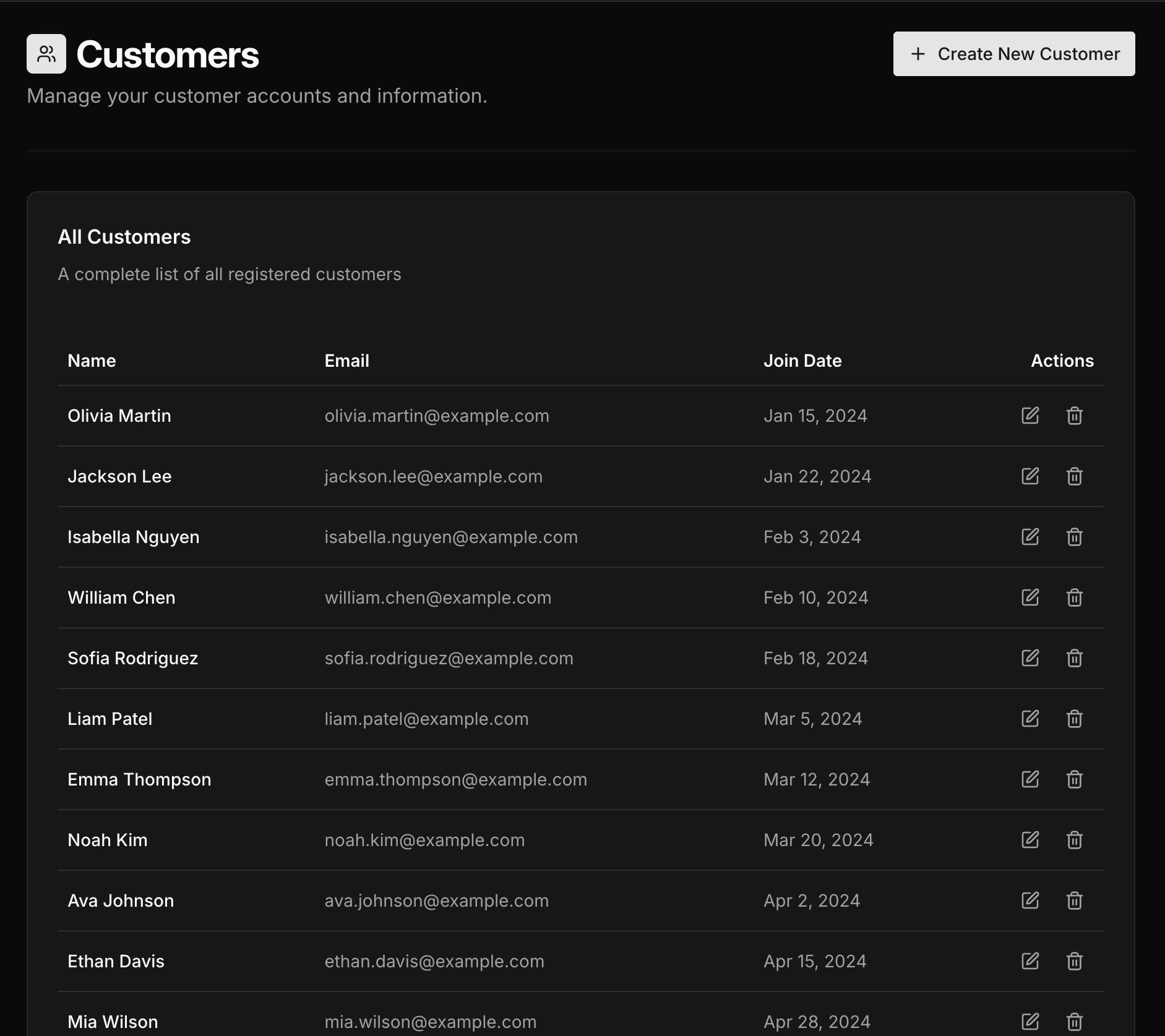 example list page with CRUD operations
You interact with CRUD apps constantly:
- Email clients (compose, read, edit drafts, delete messages)
- Contact management and address books
- CRMs such as Salesforce and HubSpot
- Project management tools like Asana, Linear, and Jira
- E-commerce admin panels
- Content management systems
- HR and employee directories
- Inventory tracking systems
Vermorel's analysis is direct: "Nearly all the apps (exposed to end-users) that are used to operate companies and their processes are CRUD. Generally speaking, if a piece of enterprise software benefits from a 3-letter initialism like ERP, MRP, CRM, SRM, PLM, PIM, WMS, OMS, EDI, then it is almost invariably implemented as CRUD."
The pattern is so pervasive because business operations follow a consistent shape. Records enter the system, get viewed and modified over time, and sometimes get removed. The data changes; the operations stay the same.
How companies actually build internal CRUD tools
Research from platform providers and industry surveys reveals consistent patterns in how organizations approach internal tool development.
The traditional custom build
Historically, teams built internal tools with standard web frameworks: React and Node, Django, Rails, or Spring MVC. Each tool required models, controllers, views, database connections, authentication, and authorization logic. A straightforward admin panel could take weeks; anything more complex stretched into months.
Retool's survey of more than 300 teams found that over 80% said internal tools are critical to company success. Yet the same survey revealed that roughly half of respondents identified lack of time and engineering resources as their primary obstacle. Internal tools compete with customer-facing features for developer attention and typically lose.
The platform approach
Low-code internal tool platforms changed this calculus. Retool, Appsmith, ToolJet, and similar products provide prebuilt CRUD components: data tables, forms, filters, and connectors for common databases. Teams assemble applications rather than coding them from scratch.
Vendor comparisons between custom development and platform-based building frequently report double-digit speed improvements for straightforward admin panels. That productivity gap explains the rapid adoption of these platforms.
Case study: Fyle
Fyle, a Tiger Global-funded expense management startup, needed to reduce their support team's dependence on engineering for routine data operations. According to Appsmith's case study documentation, they built internal tools using the platform that allowed support staff to handle customer inquiries directly rather than filing tickets with engineering.
The pattern here is common. Support teams need read and update access to customer data. Engineering builds a quick solution or gates access behind database credentials. Neither scales. A purpose-built CRUD interface with proper access controls solves the underlying problem.
Case study: Oscar Health
Oscar, a health insurance provider, faced a different challenge. In an internal tools case write-up, they are described as dealing with siloed systems for tracking and managing authorization requests. Different teams used different tools; data lived in multiple places.
They built a utilization management application that consolidated these workflows into a single CRUD interface. The technical complexity was modest. The business value came from unifying data access and standardizing the process.
The security landscape for CRUD applications
CRUD apps sit directly on business data. Security failures have immediate consequences.
The OWASP Top 10, which tracks the most critical web application security risks, places Broken Access Control at the top of the list. CRUD applications are particularly vulnerable because they expose database operations through APIs; if authorization is missing or misconfigured, attackers can read, modify, or delete records they should not access.
Broken access control
The most common vulnerability pattern involves insecure direct object references. A user requests /api/orders/12345; the application returns the order. The user changes the request to /api/orders/12346; the application returns someone else's order.
OWASP's documentation highlights APIs that lack access control on modification endpoints as a core example. Many applications protect GET requests but leave POST, PUT, and DELETE operations exposed. Some enforce permissions in the frontend but not on the server, which allows attackers to bypass the interface entirely.
Mass assignment vulnerabilities
The 2012 GitHub incident remains a canonical example. A mass assignment flaw allowed a user to upload SSH keys to organizations they did not control, granting them permission to modify repositories. The vulnerability occurred because the framework automatically bound request parameters to model properties without restricting which fields could be updated.
According to the OWASP Mass Assignment Cheat Sheet, this class of vulnerability appears when "an active record pattern in a web application framework is abused to modify data items that the user should not be allowed to access." CRUD applications with PUT or PATCH endpoints that accept entire objects are particularly susceptible.
A documented e-commerce case involved a PATCH endpoint for user profiles. Attackers discovered they could include fields like is_admin and discount_rate in their requests. The application updated those fields along with the legitimate ones, enabling privilege escalation and fraudulent transactions.
SQL injection
SQL injection vulnerabilities persist in CRUD applications. Security research on CVE-2022-48328 described a SQL injection vulnerability in MISP controllers that used CRUD index actions within a CakePHP-based application. In the documented scenario, attackers could retrieve all API keys from the database and compromise accounts.
The root cause is always the same: user input concatenated directly into SQL queries without parameterization or sanitization.
Security implementation checklist
Based on OWASP guidelines and security research, CRUD applications should implement:
- Access control
- Authorization checks on every endpoint, not just read operations
- Object-level access validation confirming users can only access their own records
- Role-based permissions enforced server-side
- Audit logging for sensitive operations including deletes
Input handling
- Parameterised queries or ORM methods that prevent SQL injection
- Explicit allowlists for mass assignment specifying which fields accept updates
- Input validation on all fields covering type, length, and format
- Output encoding to prevent cross-site scripting
Session management
- Strong authentication with appropriate password policies
- Session rotation on login
- CSRF tokens on state-changing requests
- Secure cookie configuration including HttpOnly, Secure, and SameSite flags
When CRUD is the wrong architecture
CRUD handles "forms over data" applications well. It handles other patterns poorly.
Complex business rules and workflows
Architecture discussions on Domain-Driven Design consistently note that CRUD becomes problematic when complex business rules are involved. The four generic operations describe data manipulation, not business intentions.
Consider an order management system. CRUD gives you UpdateOrder. But the business has distinct operations: approve the order, ship the order, cancel the order, refund the order. Each carries different rules, triggers different side effects, and should be logged differently. Collapsing them into a single update operation loses critical information.
A common DDD viewpoint is that starting with generic CRUD operations can become an anti-pattern in complex domains. Designing around four generic operations rather than modeling business actions often scatters rules across controllers, services, and clients.
Event-sourced and audit-heavy systems
CRUD overwrites state. You see the current record; the history of how it reached that state is lost unless you build separate audit tables.
Microsoft's Event Sourcing pattern documentation explains that CRUD is a poor fit when you need complete history, time travel through states, reliable undo and redo, or strict audit trails for legal compliance. Event sourcing stores every state change as an immutable event; current state derives from replaying those events.
High-concurrency systems
Traditional CRUD struggles under heavy concurrent load. Synchronous writes, row-level locking, and contention create bottlenecks when many users modify the same records simultaneously.
Vermorel's analysis addresses this directly: "The performance limitation reflects the fact that any long-running operation puts the CRUD app at risk of becoming unresponsive. Indeed, for a CRUD app, end-users expect the latency to be barely noticeable for nearly all mundane operations. As all operations consume computing resources from the same underlying relational database, almost any non-trivial operation puts this core at risk."
The rule of thumb
If your system is 80% record management and 20% complex logic, CRUD with some custom endpoints works fine. If that ratio flips, reconsider the architecture.
Architectural mistakes in CRUD applications
Research on anti-patterns in web applications identifies several recurring problems.
The single model problem
Go web development guides describe a common mistake: using a single struct with multiple tags for the API, database, and validation. It seems efficient; one model handles everything.
As Three Dots Labs explains in their analysis of Go anti-patterns: "When you want to update anything in the struct, you have no idea what else can change. You can break the API contract by changing the database schema or corrupt the stored data when updating validation rules."
The solution is separate models for separate concerns. HTTP request and response models handle serialization. Database models handle persistence. Domain models handle business logic. Converting between them requires more code but prevents coupling between layers.
Exposing the database schema
Auto-generating REST endpoints from database tables creates tight coupling. External clients depend on internal implementation details. When the schema changes, the API breaks.
Articles on REST API design describe this as "the CRUD anti-pattern in REST APIs." The alternative is designing APIs around use cases and business operations rather than database structure.
Pushing logic to clients
When APIs are purely CRUD, clients must orchestrate multiple calls and enforce business rules. The complexity shifts from the server, where it belongs, to every client that consumes the API.
As the Convex analysis notes, simple CRUD handlers can lack the request context needed for robust authorization and business-rule enforcement, which pushes complexity into clients.
How to choose your approach
Research on build-versus-buy decisions and platform selection provides a structured framework.
Question 1: Is this strategically differentiating?
If the application encodes unique business logic or intellectual property, building makes sense. If it supports standard functions like generic administration, approvals, or basic CRM, buying or using a platform reduces effort.
Question 2: How quickly do you need results?
Hours to days: AI-generated code or low-code platforms. Days to weeks: CRUD frameworks. Weeks to months: custom development.
Question 3: How complex are the rules and integrations?
Simple data management with standard connectors fits low-code or no-code tools. Custom APIs, complex validation logic, or legacy system integrations require frameworks or custom code.
Question 4: What are your security and compliance requirements?
Regulated data, strict audit requirements, or SOC 2 compliance may require more control than hosted platforms provide. Self-hosted options or custom development give you that control.
Question 5: Who will maintain this?
If business users will make changes, low-code platforms reduce engineering load. If developers will own the application long-term, code-based approaches offer more flexibility for evolution.
Question 6: What is your exit strategy?
Platforms create varying degrees of lock-in. If you need to migrate away, can you export your data and logic? Code-based approaches avoid this dependency.
The evolution of CRUD development
The tools have changed dramatically; the underlying pattern has not.
2010-2013: Custom code with MVC frameworks. Developers wrote models, controllers, views, and database migrations manually. Scaffolding generators helped with boilerplate but customization still required significant effort.
2014-2018: Frameworks standardized patterns for REST APIs, ORMs, validation, and authentication. Low-code platforms emerged for internal tools but remained niche.
2019-2022: Enterprise adoption of low-code accelerated. Multiple industry analyses cited Gartner data indicating that less than 25% of new applications used low-code or no-code technologies in 2020, but adoption was rising quickly.
2023-2025: During this period, Gartner and other analysts projected that around 70% of new enterprise applications would use low-code or no-code technologies by 2025. In parallel, AI-assisted tools started generating CRUD backends and interfaces from natural-language descriptions.
Vermorel's assessment captures the economic reality: "There is very little reason nowadays to pay hefty amounts for CRUD apps. As a rule of thumb, any CRUD app that costs over 250k USD per year is a serious candidate for in-house software replacement."
CRUD compared to related patterns
These terms overlap but mean different things:
| Term | Definition |
|---|---|
| CRUD app | Any application with create, read, update, and delete operations |
| Admin panel | A CRUD app for managing a system: users, content, orders, settings |
| Dashboard | A read-focused view of metrics and visualizations |
| Internal tool | Any application used by employees rather than customers |
An admin panel is a type of CRUD app. Most internal tools are CRUD apps. Dashboards are different; they are primarily read operations with data visualization rather than record management.
Many applications combine all three: a dashboard for metrics, CRUD views for data management, and admin controls for system configuration.
Frequently asked questions
What percentage of business applications are CRUD?
There is no canonical audited percentage. In this research set, practitioner and industry commentary consistently describe CRUD as the dominant pattern in business software, while exact figures vary by source and method. Treat directional percentages as estimates, not precise benchmarks.
When should I avoid CRUD architecture?
When you need complete audit history, consider event sourcing. When you have complex multi-step workflows, model domain operations explicitly rather than generic updates. When you face high-concurrency requirements with many users modifying the same records, consider event-driven architectures or CQRS.
What are the biggest security risks?
Broken access control tops the OWASP list. Specifically: missing authorization on write operations, insecure direct object references allowing users to access other users' records, mass assignment vulnerabilities, and SQL injection from unsanitized input.
How long does it take to build a CRUD app?
Platform-based approaches take hours to days. CRUD frameworks take days to weeks. Custom development from scratch takes weeks to months. The complexity of business rules and number of entities are the primary variables.
Should I use a framework?
For anything beyond a simple prototype, yes. CRUD apps share common patterns: data tables, forms, validation, pagination, authentication. Frameworks encode these patterns so you avoid reimplementing them. The choice between low-code platforms, CRUD-specific frameworks, and general web frameworks depends on your team's skills and requirements.
What is the difference between a CRUD app and an admin panel?
An admin panel is a specific type of CRUD app designed for system management. All admin panels are CRUD apps, but CRUD apps can serve other purposes: customer-facing portals, data entry tools, or operational interfaces.
Will AI replace CRUD development?
AI tools already generate CRUD applications from natural language descriptions. The pattern is well-defined enough that generation works reliably for straightforward cases. Complex business rules, security requirements, and integration needs still require human oversight. The likely outcome is faster initial development with human refinement.
Related content
- What is an Internal Tool? — The complete guide
- What is a Dashboard? — Dashboards explained
- Admin Panel Frameworks — Best frameworks for building admin panels
Start building with Refine
Connect your database and describe the CRUD app you want. Get started free — no credit card required.