Layout 01
A complete admin dashboard layout with everything you need to build professional applications. Layout 01 gives you a collapsible sidebar for navigation, a header with breadcrumbs and user controls, and a main content area for your pages.
This is typically the first component you'll add to your Refine app - it creates the familiar dashboard experience users expect, with your brand on the sidebar and your content in the center.
Installation
npx shadcn@latest add https://ui.refine.dev/r/layout-01.json
The command automatically installs everything needed, including the layout components, theme system, and all shadcn/ui dependencies like sidebar, avatar, button, and dropdown-menu components.
Basic Usage
Wrap your app routes with the Layout component. It will automatically generate navigation from your Refine resources and handle the sidebar, header, and content area:
import { Refine } from "@refinedev/core";
import { BrowserRouter, Routes, Route, Outlet } from "react-router";
import { Layout } from "@/components/refine-ui/layout/layout";

function App() {
  return (
    <BrowserRouter>
      <Refine
        resources={[
          {
            name: "posts",
            list: "/posts",
            create: "/posts/create",
            edit: "/posts/:id/edit",
            show: "/posts/:id",
          },
        ]}
      >
        <Routes>
          <Route
            element={
              <Layout>
                <Outlet />
              </Layout>
            }
          >
            <Route path="/posts" element={<PostList />} />
            <Route path="/posts/create" element={<PostCreate />} />
            <Route path="/posts/:id" element={<PostShow />} />
            <Route path="/posts/:id/edit" element={<PostEdit />} />
          </Route>
        </Routes>
      </Refine>
    </BrowserRouter>
  );
}
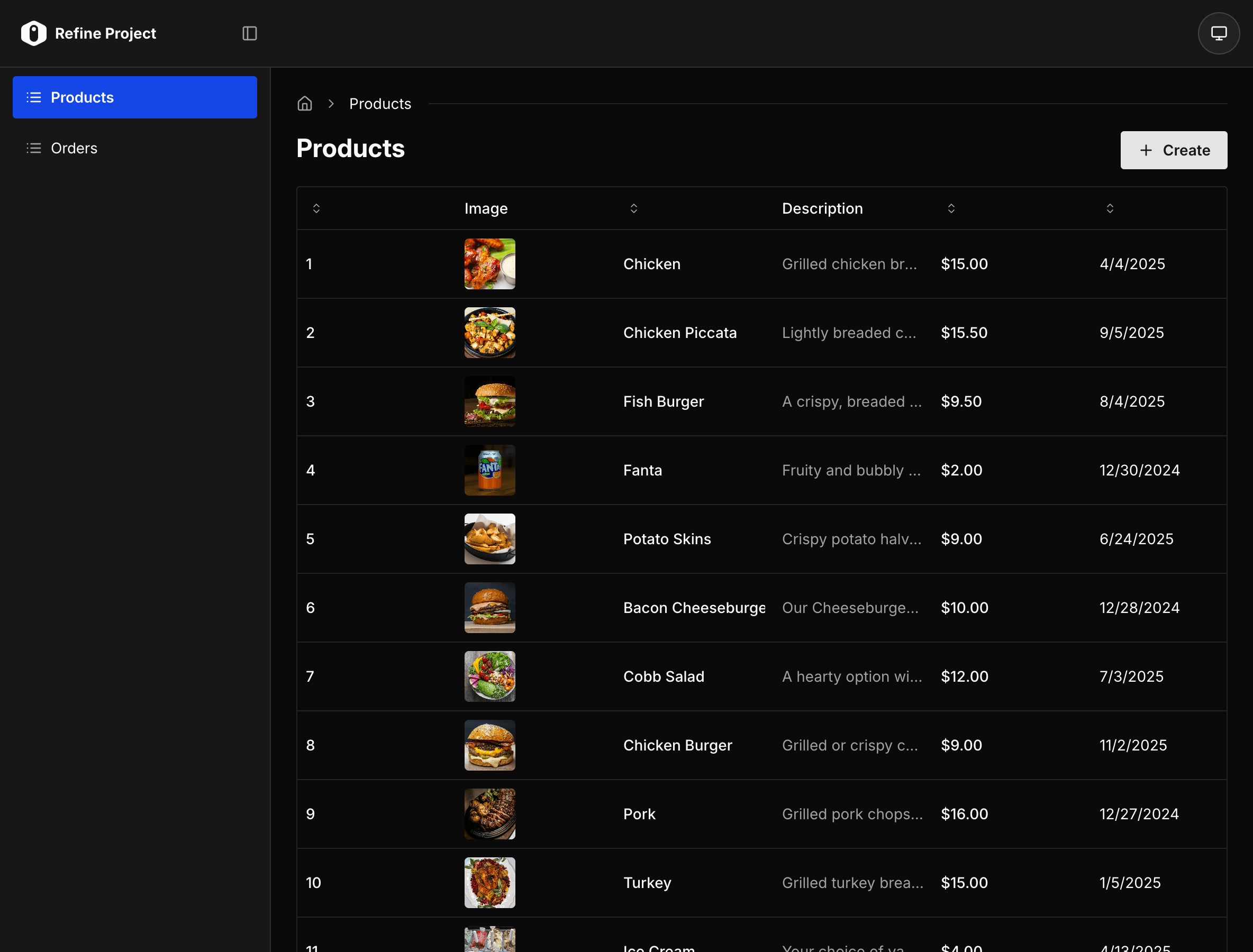
That's it! The layout reads your resources and creates navigation automatically. Users can collapse the sidebar, toggle between light/dark themes, and see breadcrumbs as they navigate.